











RhinoCam Visual Mill

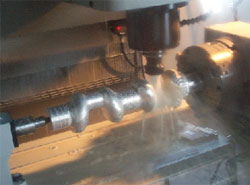
RhinoCAM is a machining program that runs inside of Rhino. It is created by MecSoft, the same company that brings you Visual Mill - a stand-alone machining program packed with features at an unbeatable price. RhinoCAM is Visual Mill integrated into Rhino, now you can do both your design and fabrication work without leaving your favorite Rhino environment. There are four levels of RhinoCAM / Visual Mill, with machining capabilities from 2.5 axis through 3, 4 and 5 axis continuous. For more information, see the official Mecsoft website.
Standard is an entry level program with an excellent feature set for beginner, hobby or school use. The standard level includes 2.5 axis, 3 Axis and hole-making operations. It comes with dozens of post-processors and a post-processor generator to create user definable post-processors. Expert level adds continuous 4th axis capability to the 2.5 and 3 Axis capabilities of RhinoCAM Standard. Pro is a high performance professional level machining program running inside Rhino. With the Pro level, you have a wider variety of 2.5, 3 and 4 axis machining strategies than Standard, plus 5 axis positioning (3+2). Premium is new and includes all of the features of the Pro version, plus the newly developed 5 axis continuous machining module. |
 | |
|
Note that all versions of RhinoCAM require Rhino installed - they are not stand-alone. If you do not already own it, Rhino can be bought bundled with RhinoCAM for a special price. See pricelist page for details.
Visual Mill is the stand-alone version of the program that functions independently of Rhino or other CAD. It is also possible to run Visual Mill and RhinoCAM on the same hardware key, call for more details.
Try RhinoCAM or Visual Mill: Download an evaluation version